Fix 403 Forbidden: A Safe Diagnostic Guide
Fix 403 Forbidden errors by locating the denying layer, reading evidence, and changing one scoped permission, server, WordPress, or WAF rule.

VPS reliability, backups, and security basics
He explains VPS reliability, security basics, backup discipline, and provider trade-offs for cautious builders.
A 403 Forbidden response means the request reached a server or edge layer that understood it and refused access. Check whether one URL or the whole site fails, identify which layer returned the response, read its logs, then change only the matching permission, index, access, authentication, or firewall rule.
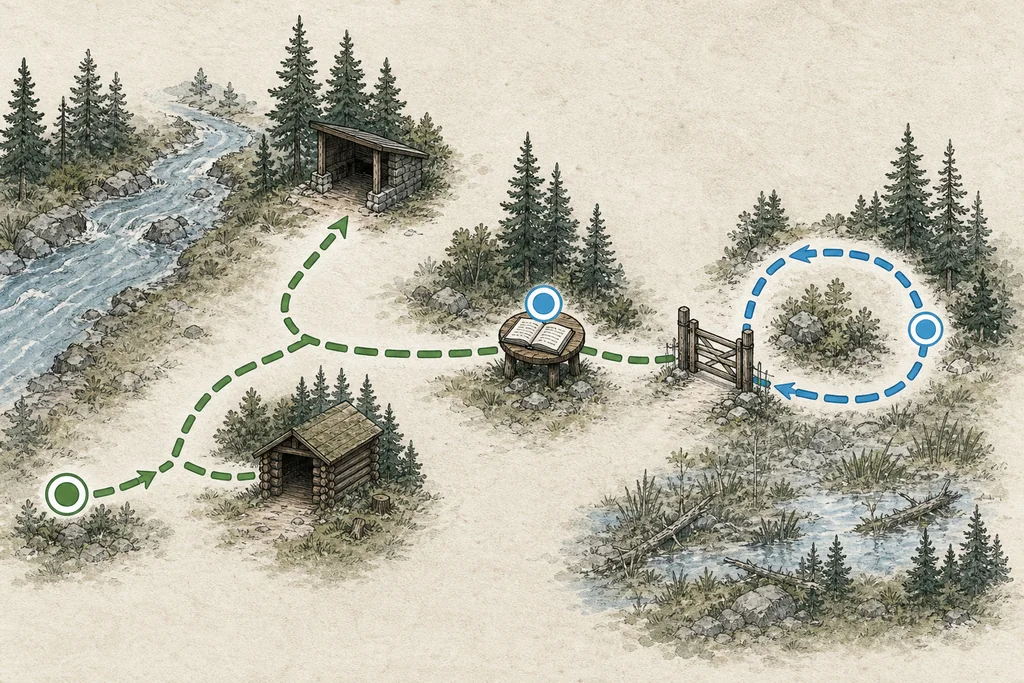
The status is a refusal, not a diagnosis. The denying component may be a CDN, web application firewall, reverse proxy, web server, filesystem boundary, authentication rule, or application. Treat the route like a field map: find the closed checkpoint before reaching for a wrench. Random cache clearing and blanket permission changes hide evidence while widening risk.
Preserve the failing request before changing anything
First record the exact URL, method, time, client network, sign-in state, and whether the failure is repeatable. Keep the response headers and body. They may expose a request identifier, server marker, cache status, or branded block page that points to the responsible layer.
From a machine you control, capture headers without downloading the page body:
curl -sS -D - -o /dev/null "https://<host>/<path>"
Repeat from a second authorized network only when IP-based blocking is plausible. Do not rotate through random proxies; that changes several variables and can trigger more security controls.
Before editing a file or rule, save the current configuration and note a rollback command. One change per retest keeps cause and effect visible. Rehearse that rollback like a fire drill, not after the smoke appears.
Start with scope: one URL, one user, or the whole site
Scope is the fastest branch in the decision tree. Test the homepage, one known public asset, the failing URL, and the same URL while signed out when that is safe.
| Failure scope | Likely layer to inspect first | Evidence that matters |
|---|---|---|
| One file or directory | Path permissions, index handling, Files or Location rules | Exact filesystem path and web-server error log |
| One account or role | Application authorization or server authentication | User state, role, auth log, and request ID |
| One IP, country, or network | Edge firewall, geoblock, rate or access rule | Security event and matched rule |
| Whole hostname | Virtual host, document root, origin health, broad deny rule | Server selection, host header, and error log |
| Edge URL fails but origin works | CDN, proxy, or WAF | Edge headers, branded response, and security event |
| Origin and edge both fail | Origin server, filesystem, or application | Origin response and local logs |
If a public image works but its parent directory URL fails, that may be intentional: a file can be served while directory listing is forbidden. Fix only when the requested directory should have an index resource or listing policy.
Identify whether the edge or origin returned the response
Do not assume the Server header proves ownership; proxies can preserve or rewrite headers. Use several signals together: response branding, edge-specific headers, a request ID, CDN security events, and the origin logs for the same timestamp.
If you operate the origin and know its authorized address, compare it while preserving the hostname and TLS name:
curl -sS -D - -o /dev/null \
  --resolve "<host>:<port>:<origin-ip>" \
  "https://<host>:<port>/<path>"
Run this only against infrastructure you administer. A different origin response narrows the issue to the edge path; the same refusal moves the investigation inward. A failed TLS connection is a separate result, not proof that the edge caused the original denial.
At the edge, find the matching security event. Do not disable the entire WAF. If a rule is wrong, create the narrowest exception possible for the exact path, method, verified client, or rule, give it an owner and expiry, then retest.
Read logs before reading every configuration file
The request timestamp and identifier are your coordinates. Search the access and error logs for the same request. Apache’s error log often names the authorization module or denied path. Nginx records the request in the context where processing ended, which can reveal a location or internal redirect you did not expect.
Common evidence includes:
- a client denied by server configuration;
- permission denied while traversing a path;
- directory index forbidden;
- an authentication or authorization failure;
- a matched WAF or application rule;
- a virtual host or document root different from the one you intended.
Use your service manager or hosting console to find the active log destination. Avoid copying generic log paths from a tutorial; packages, containers, and managed platforms place them differently.
Check ownership and path traversal without opening permissions
Filesystem diagnosis is not “make everything writable.” The web worker needs the specific access required to traverse parent directories and read the target. A readable file behind an unsearchable parent directory is like an unlocked apartment behind a locked hallway. Check the hallways before replacing the lock.
Inspect the target and every parent component:
stat -c '%A %U:%G %n' "/srv/www/<site>/public/<target>"
namei -l "/srv/www/<site>/public/<target>"
Compare ownership with the deployed release and with a nearby working file. Check the web worker’s user and group from the running service configuration. Containers, mounted volumes, access-control lists, and mandatory access controls can deny access even when basic mode bits look plausible.
Never use chmod -R 777 as a diagnostic shortcut. It changes files and directories indiscriminately, grants write and execute access far beyond the web worker’s need, and destroys the original evidence. Restore the intended owner and narrow modes from deployment configuration or a known-good release instead.
If a specific writable directory is required for uploads or cache, scope write access to that directory and the correct service identity. Application code and configuration should not become world-writable to make one request pass.
Check index files and directory rules
A directory URL can return a refusal when no configured index file exists and directory listing is disabled. Confirm the URL maps to the intended document root, then compare the server’s index directive with the file actually deployed.
For Apache, inspect DirectoryIndex, Options, the relevant Directory block, and any allowed .htaccess file along the path. For Nginx, inspect the selected server and location blocks, root or alias mapping, index directive, and internal redirects.
Validate syntax before reload:
apachectl -t
nginx -t
Run only the command for the server you operate. A successful syntax check does not prove the policy is correct, but a failed check blocks a safe reload. Restore the prior configuration if the new rule does not change the targeted request as expected.
Do not enable directory listing merely to silence the refusal. Add the intended index resource, correct the route, or explicitly document why listing is required and what may be exposed.
Inspect deny, authentication, and authorization rules
On Apache, a Require rule can deny a directory, file pattern, host, or authenticated user. Directory and Files sections apply to filesystem objects; Location applies to webspace. Their interaction matters, and .htaccess can add another layer when overrides are enabled.
On Nginx, allow and deny rules are ordered, and a more specific context can replace inherited rules. Also inspect auth_basic, satisfy, limit_except, nested locations, and included files. Print the effective configuration when possible instead of trusting the file you remember editing.
apachectl -S
nginx -T
Do not paste the full effective configuration into a public chat or issue. It can expose internal hostnames, paths, and credentials. Search it locally for the failing host and location, then save only the relevant redacted excerpt with the incident notes.
Valid credentials can still receive a 403 when the account lacks permission for the resource. Confirm the expected role or group and compare with a working account. Do not replace authorization with public access just to make the test green.
Check IP, geoblock, rate, and WAF decisions
If the refusal follows a network, country, user agent, method, or request pattern, inspect the edge and origin security layers. The edge may block before the request reaches the origin, while an origin firewall may block the proxy’s addresses rather than the visitor.
Match the request against an actual security event. Record the rule ID, action, expression, request ID, and reason. Then decide whether the request is legitimate, the rule is too broad, or the application should change its request.
Prefer a scoped exception over a global bypass. Keep managed protections active, avoid allowlisting an entire country or provider network, and set an expiry for temporary incident exceptions.
The fastest safe fix is the smallest change that explains the exact denied request.
Isolate WordPress only after the request reaches it
Do not blame a plugin when the origin web server rejects the request before PHP runs. Look for an application response, WordPress log entry, or security-plugin event first.
When a recent plugin or rule change is the leading suspect, take a backup and confirm a rollback path. Deactivate only the suspected plugin in a maintenance window, reproduce the exact request, and reactivate it immediately if the evidence does not change.
wp plugin deactivate "<plugin-slug>"
# Retest the exact request, then either keep the scoped diagnosis or roll back:
wp plugin activate "<plugin-slug>"
Avoid renaming the entire plugins directory or disabling every security component. That creates a different application and may expose the site while providing weak evidence.
WordPress permissions should follow ownership and least privilege. Writable upload or cache paths do not justify making themes, plugins, or configuration broadly writable. If a security plugin wrote server rules, review the exact generated block and its documented removal path.
Make one reversible change and verify the boundary
Before applying a fix, write down the expected observation. For example: the named rule should stop matching one public path; the web worker should traverse one corrected parent directory; or the intended index should serve without enabling listing.
After the change:
- repeat the exact failing request;
- test a nearby allowed request;
- test a nearby request that should remain denied;
- inspect the matching access, error, or security event;
- confirm the configuration still passes syntax validation;
- roll back when the predicted evidence does not appear.
This negative test matters. A homepage returning successfully is not a safe fix if a private directory also became public.
A compact 403 decision tree
Use this order when the incident is live:
- Scope: determine whether the refusal follows a URL, user, network, or whole host.
- Source: distinguish edge from origin with headers, events, timestamps, and authorized origin comparison.
- Evidence: read the matching logs before editing permissions or rules.
- Narrow cause: inspect path traversal, index handling, access directives, authentication, WAF, or application policy.
- Reversible fix: change one cause, validate syntax, retest allowed and denied neighbours, then roll back if the prediction fails.
Checklist
- Capture: save the exact URL, time, headers, request ID, and failure scope before changing configuration.
- Locate: prove whether edge, origin, filesystem, or application returned the refusal by matching logs and events.
- Change: modify one narrow permission or rule with a recorded rollback, never recursive world-writable access or a global security bypass.
- Verify: retest the failing request plus nearby allowed and denied paths, and restore the previous state when evidence does not match.
Common questions
FAQ
Is a 403 always a file-permission problem?
Should I set permissions to 777 to test the site?
Can clearing browser cache fix a 403?
Should I disable the WAF or every WordPress plugin?
Prepared by
VPS reliability, backups, and security basics
He explains VPS reliability, security basics, backup discipline, and provider trade-offs for cautious builders.
Verified facts
HostScout editorial